Category: Column

  • Zooming Into the Future

    Happy senior woman in graduate capThe US Census Bureau has reported that people aged 65 and older will outnumber those under 18 years old by 2034. Every year, millions of these senior citizens look at life after retirement as an opportunity to expand their horizons and learn more. It’s a time to take special-interest lessons or even earn a degree. For some, it may  even mean going back into the workforce and starting a new career.

    That’s what I did as a 71-year-old retired high school assistant principal. I went back to college, earned another degree and eventually entered the workforce. What I immediately discovered, however, was the “Wild West” of technology. Every mode of learning or working involved online programs.

    Colleges and universities were  offering curricular courses via online sessions or what are called distance learning venues. Instead of sitting in a classroom surrounded by fellow students with the instructor in front of the class, I sat at home at my laptop with a cup of coffee and simply clicked a link I received in an email to enter an online grad class via Zoom. Zoom Meetings is a proprietary videotelephony software program.

    Today, I have also become one of those people who work from home… better known as remote employment. Through Zoom, I partake in virtual meetings or have one-on-one conversations with clients. I also teach online, offering Power Point presentations via Zoom.

    There are other video conferencing platforms,  such as Microsoft Teams or Google Meet. However, Zoom right now is used the most in schools and the workplace. As long as you have a smartphone, tablet, laptop or computer — in other words, a camera, speakers and microphone — you have access to Zoom (once you download the program).

    How did I learn to use it? As with many things  in these rapidly changing times, I learned through trial and error. This, fortunately, has worked for me, but I’m not sure I’d recommend it. Instead, I’d suggest taking a class or going to www.youtube.com, where you can watch video demonstrations on how to use Zoom or just about any other application, for that matter.

    The year 2034 is just 12 years away. By then, distance learning or remote working will probably have advanced to three-dimensional holographic technology. Your teacher, boss or client will be visible before you in real-life form.

    Ah, technology! Embrace it, delight in the benefits of it, and like me, just enjoy the fun of it!


    KAPIOLANI COMMUNITY COLLEGE
    Office of Continuing Education
    University of Hawai‘i/Kapi‘olani Community College
    Teri Pinney | 808-342-7690 | tpinney@hawaii.edu
    https://continuinged.kapiolani.hawaii.edu

    The US Census Bureau has reported that people aged 65 and older will outnumber those under 18 years old by 2034. Every year, millions of these senior citizens look at life after retirement as an opportunity to expand their horizons and learn more. It’s a time to take special-interest lessons or even earn a degree.…

  • Jobs Then, Work Now

    Cheerful group of senior friends enjoying each others company while having tea party at lovely patio, they wearing knitted sweatersIt’s a new day and a new time in today’s world of work. A shifting economic landscape continues to drive significant changes in the American workplace. Nearly every aspect of the country’s workforce has changed in the last 50 years. The demographic makeup of who goes to work is radically different, along with the type of work individuals do, how they do it, where they do it and even how they save for retirement.

    JOBS THEN
    ♦ One full-time job occupied one physical space.
    ♦ Requirements for different jobs were similar.
    ♦ Decision-makers were impacted by long-standing prejudices: age, hiring choices, etc.
    ♦ Limited use of flexible/temporary contributors.
    ♦ Virtual work was virtually unknown.

    WORK NOW
    ♦ Workers may not be needed or hired on a fulltime basis. More than 40 percent of the workforce are not employed on a full-time basis in regular jobs at a physical office/factory.
    ♦ Changing demands equals shifting qualifications and skills. The workforce must learn, unlearn and relearn lessons and skills in this new world of work. Skills are more important than degrees. Eight out of 10 opportunities do not require a degree, but all require updated skills.
    ♦ The retirement age of 65 is a remnant. The average lifespan has increased by over 17 years since Social Security (SS) began.

    THINGS TO CONSIDER
    ♦ Without additional income, you are likely to outlive your money. Don’t count on SS benefits as your major source of income. In fact, the future of Social Security is a serious concern.
    ♦ An increasing number of us will be alone as we mature because of a spouse’s death or, even more likely, because of divorce. Will social isolation prompt you to seek some form of work?
    ♦ Research confirms that social engagement, working and learning throughout our lifetimes help reduce the risk of cognitive decline.

    SO LET’S
    ♦ Replace the word “jobs” with the word “work.”
    ♦ Reach out to the community to learn new skills and invigorate our social connections.
    ♦ Work part-time, some of the time or remotely.
    ♦ Continue to live a balanced life that matters.

    It’s time to explore alternatives that are suited to our time of life in this fast-changing world.


    CARLEEN MACKAY
    916-626-7222 | carleenmackayhi@gmail.com
    www.linkedin.com/in/carleenmackay

    It’s a new day and a new time in today’s world of work. A shifting economic landscape continues to drive significant changes in the American workplace. Nearly every aspect of the country’s workforce has changed in the last 50 years.

  • The Answer is: What is an HMO?

    Ever imagine you might need to become a contestant on “Jeopardy” to pay your healthcare costs? Your answer may be no, but it seems it pays to understand how a health maintenance organization (HMO) works, if you have one.

    Recently, a Medicare beneficiary’s daughter was distraught to learn her mom’s insurance rejected a skilled nursing facility (SNF) claim. Her mom suffered a stroke, and after a brief hospital stay, was transferred to a SNF. A few days later, the SNF requested payment for an anticipated stay of about 20 days. At $750 a day — that’s $15,000! The SNF then threatened to discharge the patient for non-payment.

    The daughter then later that her mom’s plan is an HMO, which (except for emergencies) requires pre-authorization for services and primary care physician (PCP) referrals to in-network providers only. The family was unaware of these HMO plan rules. The claim was denied because there was no referral by the PCP and the SNF was out-of-network.

    Learn how your insurance plan works, otherwise, you really may need to win a round of “Jeopardy” to cover unexpected costs. If asked, “What type of insurance requires pre-authorization and network referrals, answer, “What is an HMO?” Make sure anyone you rely upon in a health crisis also knows.


    GET2INSURANCE.COM FAMILY OFFICE
    1003 Bishop St., Ste. 2700, Honolulu, HI 96813
    800-226-3660 | martha@get2insurance.com
    www.Get2insurance.com

    Ever imagine you might need to become a contestant on “Jeopardy” to pay your healthcare costs? Your answer may be no, but it seems it pays to understand how a health maintenance organization (HMO) works, if you have one.

  • The Keys to Your Online Kingdom

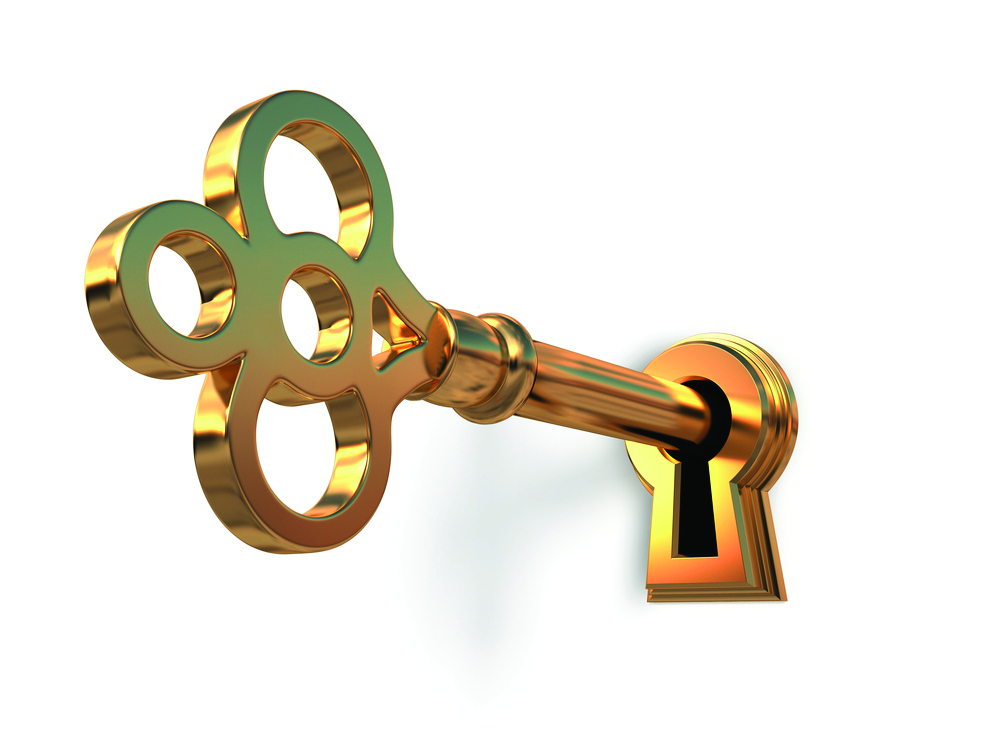
    Golden key in keyholeWhen you open an online account of any kind (anything from Facebook to online banking), you generally want to set the minimum password length to at least eight characters. The longer the password, the harder it is to crack, so for even greater security, set the minimum password length to 14 characters.

    • It can be a word; I recommend using a non-English word.
    • Or it can be a a phrase, such “the cow jumped over the moon,” without spaces between the words in the phrase.
    • At least one character should be upper case.
    • One or more of the letters could be substituted for a number using leet, or leetspeak, a method of typing words using alternate characters. Letters are replaced with numbers or symbols that closely resemble them. For example, the letter “a” might be replaced with “@”, the symbol. The letter “E” might be replaced with the number 3 and the letter “i” can be  replaced with the number 1.
    • If permitted, include a control character such as an asterisk (*) or a caret or circumflex (^).

    The result will not be the final password, but what I call the “core password,” which is the base from which you create the password for the account you are using it for.

    For example, if your core password is “theC0wjumped^0verthem00n,” you can add an “F” at the beginning, and a “B” at the end and use it for your Facebook account. If want to use for your Gmail account, you can add “GM” to the end or the beginning of the core password.

    How to remember your passwords

    My recommendation is to write it down in a hard copy notebook. Make sure you note which account the password is for. Include the date when it was first created. Keep the notebook in a secured area, like a locked desk or file cabinet. Keeping password information on your cellphone, tablet and computer is not advised. Neither is keeping them in your wallet or handbag.

    If you may need password information when you’re not at home, write it on a piece of paper, keeping your notebook  secured at home. When you’re done using the password, make sure to destroy the paper and discard it. Ripping to little pieces will do the trick.

    Remember, passwords are the keys to your online kingdom. Beat the hackers by creating strong passwords and by keeping them secure.


    Contact me with questions about online security.
    Christopher Duque | aikea808@gmail.com

    When you open an online account of any kind (anything from Facebook to online banking), you generally want to set the minimum password length to at least eight characters. The longer the password, the harder it is to crack, so for even greater security, set the minimum password length to 14 characters. • It can…

  • It’s Time to Embrace Technology

    Some of us seniors may still cling to the belief that the old days were so much better. However, most of us have certainly developed an appetite for the latest cellphones, ultra-modern appliances and high-tech cars.

    Likely as a result from the pandemic, baby boomers (born between 1945 and 1965) who previously gathered to talk story, now chat on Facebook. They find themselves expressing opinions on an internet blog and sharing photos with family and friends through email.

    In-person visits in the doctor’s office are becoming a rarity. Today, using our cellphones, laptops or tablets, we simply connect with the physician via a virtual healthcare session. And afterwards, we can use our favorite search engine to find out more about diagnoses and medications that may have been prescribed.

    We are also shopping online and ordering meals to be delivered to our homes. We are watching downloaded movies on our smart TVs or searching for do-it-yourself videos on YouTube. Some of us are also enjoying games on our cellphones, laptops or tablets, while others have advanced to doing their banking and bill-paying through the internet.

    Yes, now more than ever, seniors are using digital technology in their daily lives, and a growing number of them are also taking classes to learn how to use these “newfangled” devices, programs and apps.

    As a retired educator, I used to dismiss the idea of distance learning in the classroom. No more! Today, I have become well aware of how online courses ultimately enhance student learning. Not only do my grandchildren learn at their own pace while receiving one-on-one screen time from their teachers, seniors can also take online classes in the comfort of their homes.

    As long as we exercise safety precautions (especially on a cell phone) and adhere to security practices on the internet, we can overcome our fear and embrace technology. If you aren’t already tech-savvy and online, now is the time.


    KAPI‘OLANI COMMUNITY COLLEGE
    Office of Continuing Education
    University of Hawai‘i/Kapi‘olani Community College
    Teri Pinney | 808-342-7690 | tpinney@hawaii.edu
    continuinged.kapiolani.hawaii.edu
    Some of us seniors may still cling to the belief that the old days were so much better. However, most of us have certainly developed an appetite for the latest cellphones, ultra-modern appliances and high-tech cars. Likely as a result from the pandemic, baby boomers who previously gathered to talk story, now chat on Facebook.

  • Improving Retirement Security in Hawai‘i

    Retirement insecurity is one of the most serious challenges facing the country today. Most at risk are private sector workers whose employers do not offer a workplace retirement savings plan. However, the Hawai‘i State Legislature has initiated action on this critical issue.

    In the regular session of 2021, the Senate adopted Senate Resolution 76 (SR76), Senate Draft 1. Introduced by Sen. Brian Taniguchi, SR76 requested the creation of a Retirement Savings Program Task Force to address the state’s  retirement savings crisis and explore options for helping workers save for their retirement.

    The task force comprised of business and nonprofit stakeholders, and public officials and legislators has been meeting since August 2021 to study the issue of retirement insecurity and to look at how the state can help our residents save more for their future.

    We received testimony and insights from local and national experts, as well as from small business owners and financial institutions in Hawai‘i. Our findings culmina {Play}ted and a formal Report and Recommendations document was submitted to the Legislature on Dec. 10, 2021. This is very exciting for all small business employees and employers who care about their employees and want to give them an opportunity for retirement security.


    HALE HAU‘OLI HAWAI‘I (501(c) 3 nonprofit)
    98-1247 Kaahumanu St., Ste. 207, Aiea, HI 96701
    808-292-4665 | Kwyatt01@aol.com
    www.halehauolihawaii.org

    Retirement insecurity is one of the most serious challenges facing the country today. Most at risk are private sector workers whose employers do not offer a workplace retirement savings plan. However, the Hawai‘i State Legislature has initiated action on this critical issue.

  • Spring Cleaning for Your Wallet

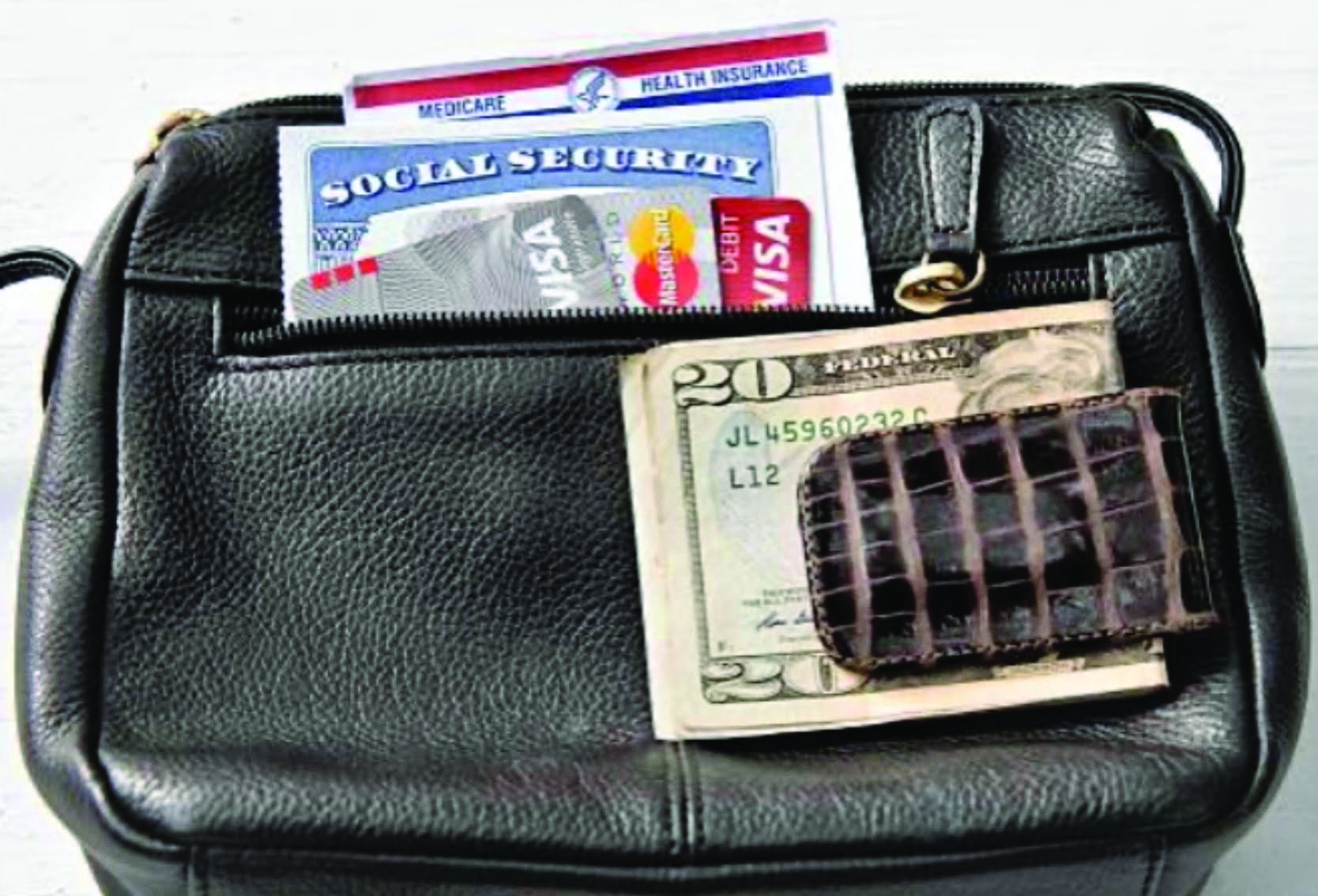
    It’s time to begin your spring cleaning! This year, don’t forget to include your wallet, the home of your critical medical and insurance cards.

    Do you know which cards you should carry or dispose of?

    If you are retired, you can begin by disposing of your work insurance card. Your coverage ended when you retired.

    Also, that Original Medicare card that displays your social security number is obsolete. Call the Social Security Administration at 1-800-772-1213 if you need a replacement Medicare card.

    If you recently qualified for Medicare or changed plans, put your new member identification card in your wallet or swap it for the old one.

    Providing the proper insurance card saves time, money and makes accessing healthcare services easier.

    Healthcare providers count on you to provide them with your current insurance card so you can receive healthcare and the provider can file a claim for their services.

    Having the correct card enables quicker processing and helps avoid billing errors, and treatment scheduling delays.

    Take a moment to get more organized and clean out your wallet today.


    GET2INSURANCE.COM FAMILY OFFICE
    1003 Bishop St., Ste. 2700, Honolulu, HI 96813
    (800) 226-3660 | martha@get2insurance.com
    www.Get2insurance.com

    It’s time to begin your spring cleaning! This year, don’t forget to include your wallet, the home of your critical medical and insurance cards. Do you know which cards you should carry or dispose of?

  • Veterans Helping Veterans

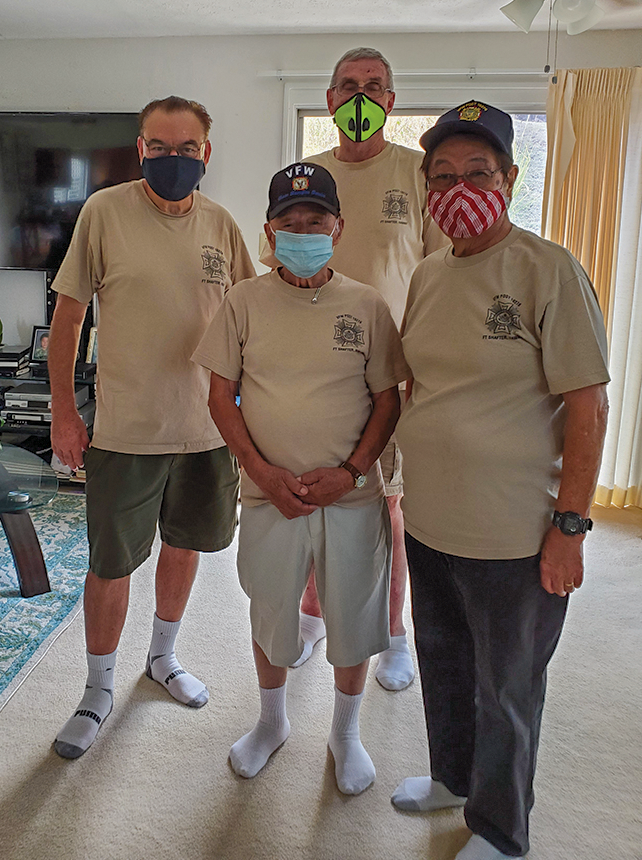
    photo of Cmdr. Mortimer, past post Cmdrs. Cal Sagara and Bob Breitscheider, and National Councilmember Stan Fernandez, all members of the Fort Shafter Post on O‘ahu.
    Jim’s bathroom work crew included (above, L–R) Cmdr. Mortimer, past post Cmdrs. Cal Sagara and Bob Breitscheider, and National Councilmember Stan Fernandez, all members of the Fort Shafter Post on O‘ahu.

    The call came in. “Help! Papa needs an ADA compliant bathroom.” According to Adele, his granddaughter, “Papa refuses to come downstairs to shower because he says he already has a blankly-blank shower upstairs.” Jim “Papa” Raynor is a 98½-year-old WWII veteran.

    Upon receipt of the call, four members of VFW Post 10276 went to the house, made a list of equipment needed, measured, went to the hardware store and were back on the job within two hours with their tools and supplies.

    Four hours later, the grab bars and the rest of the equipment were installed and their comrade took an inaugural shower to break it in.

    Joining the work crew downstairs in the kitchen, Jim thanked them for their efforts and then cussed them out for working so fast. “I wanted to spend a few more hours talking story about the old days that only veterans would understand.” So
    post Cmdr. Steve Mortimer called the post chaplain, who scheduled weekly wellness calls.


    VFW DEPARTMENT OF HAWAII
    438 Hobron Lane, Ste. 407, Honolulu, HI 96815
    808-946-7250 | adj@vfw-dept-hi.org
    www.vfw-dept-hi.org/

    The call came in. “Help! Papa needs an ADA-compliant bathroom.” According to Adele, his granddaughter, “Papa refuses to come downstairs to shower because he says he already has a blankly-blank shower upstairs.” Jim “Papa” Raynor is a 98½-year-old WWII veteran.

  • Ransomware

    Ransomware Malware Attack. Business Computer Hacked. Files EncryptedMajor corporations, government agencies, healthcare organizations, small businesses and private individuals are all being targeted by ransomware. The law enforcement and cybersecurity communities believe many of the cybercriminals behind these attacks are connected to organized crime, anti-US entities or even terrorist groups. It is an ongoing challenge to identify hackers and bring them to justice.

    Ransomware is a form of malware that encrypts the data on your computer and makes your computer inoperable until a “ransom” is paid to the hackers. Some versions of ransomware not only lock up your computer and data, but also make
    copies of data that hackers can harvest and sell.

    Payment demanded by the hackers is usually in the form of bitcoins (cryptocurrency). Some low-level hackers may even demand payment in the form of gift cards. Tracing the flow of the ransom is tedious, time-consuming and oftentimes, futile.

    A computer gets infected with ransomware mainly due to user error, by clicking on a malicious link in an email or a message while using social media. Your computer can also get contaminated by opening an “infected” attachment in your email — a document, video or sound file.

    Prevention Tips:

    ■ Be careful what you click on.
    ■ Back up your data. Backing up the entire hard drive is best. Use an external hard drive (not a USB thumb drive) that has its own power source and is connected with a USB cable.
    ■ Use a cloud service. This option may come with a fee depending on the size of the backup file.
    ■ Update your computer’s operating system and security software with the most current patches.
    ■ Install security software and make sure it is running before checking email or going online.
    ■ Be very suspicious when clicking on links when surfing the Web, those in your emails and when opening attachments. This also applies to messages from “friends” when using social media.

    What to do if your computer becomes infected.

    ■ Turn off your computer and unplug it.
    ■ Contact a computer repair service. Explain that your computer has been infected but you have a backup they can use to restore your data.
    ■ Contact law enforcement and report the incident. Whether they may be able to open an investigation and track down the hackers will depend on what information you can provide them and their available resources. (Law enforcement will not restore your data. Their job is to investigate.)

    The bottom line is the burden of keeping yourself safe is using safe computing habits and being wary of what you click on. 


    Contact me with questions about online security:
    Christopher Duque | aikea808@gmail.com

    Major corporations, government agencies, healthcare organizations, small businesses and private individuals are all being targeted by ransomware. The law enforcement and cybersecurity communities believe many of the cybercriminals behind these attacks are connected to organized crime, anti-US entities or even terrorist groups. It is an ongoing challenge to identify hackers and bring them to justice.

  • Longevity Benefits of Working Longer

    In 2010, I wrote a booklet for Career Partners International, a leading outplacement counseling firm, in which I compared the 20th century workplace with the 21st century workplace. In simple terms, I made the case that the once-upon-a-time dominant workplace of regular, full-time workers was fast becoming a workplace of workers who work part-time, some of the time, for free or for a fixed fee.

    And here we are in 2021 and the change has happened — not because of the pandemic, as most would like us to believe, but because of economic, societal, technological, ergonomic and other obvious changes that were staring us in the face long before this pandemic.

    If we work later in life some of the time, our mental and physical health will benefit.

    As change is our new reality, the flexible options are specifically suited to older workers because…

    • Cognitive decline is preventable for many of us by working in some capacity. Look up the advances active brain activity is having in staving off some forms of dementia. Many studies confirm that using your brain at part-time work helps to maintain your resiliency. A flexible work schedule is of particular benefit for mature workers because it allows more time for all aspects of health renewal.

    • Mental health can be maintained by working flexibly for community or other socially interactive nonprofits. As Nina Vasan, MD, of the Stanford Lab for Mental Health, said, “Mental health is the bedrock of community and, vice versa, community is the bedrock of mental health.” In brief, doing good work is good for you, too.

    Where can you find this work that will help maintain your mental and emotional fitness? The key is finding something that is meaningful to both you and your community.

    • Consider businesses that deliver meals and groceries, offer video-based fitness, or repurpose clothing and household goods.

    • Review other contributors to Generations Magazine. They are your network. The authors know where new opportunities are emerging.

    • Read my last month’s article on new places to work — especially in a flexible way.

    For more about the longevity benefits of working longer and later in life, search the Brooking Institute as well as the Harvard Institute. Be a workforce not a workhorse. Your brain will thank you.


    NEW WORKFORCE HAWAII
    Carleen MacKay
    916-626-7222 | carleenmackayhi@gmail.com
    www.newworkforcehawaii.com

    In 2010, I wrote a booklet for Career Partners International, a leading outplacement counseling firm, in which I compared the 20th century workplace with the 21st century workplace. In simple terms, I made the case that the once-upon-a-time dominant workplace of regular, full-time workers was fast becoming a workplace of workers who work part-time, some…

  • Tried-and-True Coping Skills

    It is always difficult and  painful to loose a loved one, even as memories of them remain in our heart to comfort us. I’d like to share a few tried-and-true coping skills to help deal with a loss.

    It takes time, but a bereaved person will eventually process their grief, work through the sadness and adjust to a life without their loved one. It helps to allow yourself to experience the pain and other emotions and not let others tell you how you should feel. Whatever comes is where you should start…

    Patience is a virtue. Don’t suffer from stress caused by your expectations. Accept your current experience, pain and emotions without judging or being judged. Don’t compare yourself with others. We all mourn in our own way; at our own pace.

    Acknowledge your feelings — even the ones you don’t like. Cry if that’s how you feel.

    Ask others for the help you need. Get support from friends and/or professionals. Express you sadness; talk about your loss and your memories.

    Joining a bereavement group enables others to encourage, guide and comfort you. They can also offer practical advice and information, and help you feel less alone. Online groups are available.

    Try to maintain your routine and lifestyle. Avoid making life changes and major decisions. Limit stressors and maintain a sense of security.

    Give yourself a break from grief and take care of yourself. Relax through distractions — watch TV, have dinner with a friend, read a good book, enjoy your favorite music, take a hike or go to the beach. Enjoy life despite the sorrow. Eat well, exercise, sleep and nurture yourself. Get a massage to release your tension. Avoid excessive use of alcohol or other substances, which could harm your body, confuse your emotions and slow your recovery.

    Forgiveness is a blessing. Forgive yourself for all the things you wish you’d said or done differently. Forgive others, as well.

    Prepare, plan and honor. Be prepared for holidays, birthdays and anniversaries, when feelings of grief may return. Plan how you want to spend your time and with whom. Do something in honor of the memory of your loved one. Decide what traditions to keep or create new ones.

    Create. When you feel ready, do something creative. Write a letter to the person who passed and say everything you wish you could still tell them. Start keeping a journal. Make a scrapbook. Paint or draw. Plant flowers or trees. Involve yourself in a cause or
    activity that you and your loved one enjoyed doing.

    Your Generations Magazine family is always here to help our Hawai‘i ‘ohana feel supported.


    RICK TABOR
    GM Community Development Director
    808-285-5936 | Rick@Generations808.com

    It is always difficult and  painful to loose a loved one, even as memories of them remain in our heart to comfort us. I’d like to share a few tried-and-true coping skills to help deal with a loss.

  • Staying Safe When Using Social Media

    Social media is a great way for all of us to keep in touch with family and friends, and our kūpuna are no exception. The use of social media among senior citizens has been a growing trend. Almost 74 percent of all adults aged 50 and over use social media on a regular basis. They primarily use Facebook, followed by YouTube, Instagram and LinkedIn. Older Americans most often sign on to social networks on smartphones (55 percent), followed by computers (47 percent) and tablets (41 percent).

    However, social media presents some extra  risks for older people. Research has shown that seniors lose tens of billions of dollars each year due to financial scams, leaving almost a million seniors each year in financial hardship.

    They are targeted by scammers and identity thieves who know that the older generation tends to be polite and trusting, so they’re more likely to be conned by an urgent-sounding message or persuasive solicitation.

    Here are two important tips to consider in order to reduce your risk of being victimized:

    1) Who are you sharing your posts with?  Are they actual family members and friends? Remember, anyone can be impersonated online! Only accept friend requests from those you have actually met or who can be vouched for by someone you know who can verify their identity. Or you can contact them by phone to ask them if they sent you a friend request.

    Also, check your privacy settings to regulate who will be allowed to see a particular post. You may not want to share every post with all your friends and family.

    2) What are you sharing online? Is it a written post, a photo or a video? And what information is being shared? Obviously, you don’t want to post any sensitive financial information like bank account numbers, PIN numbers or passwords. Sharing home addresses and personal telephone numbers is also very risky. Also, refrain from mentioning the dates you be away on a trip. Burglars may take advantage of that information.

    Also, don’t post about recent financial gains, such as receiving a large dividend check from an investment or an annuity. The same applies for posting photos of the valuables in your home.

    There is a lot to think about to keep from being a victim when using social media. The key is not to overshare and to always consider who you are sharing that information with. This is just another occasion when too much can be bad for you.


    Contact me with questions about online security.
    Christopher Duque | aikea808@gmail.com

    Social media is a great way for all of us to keep in touch with family and friends, and our kūpuna are no exception. The use of social media among senior citizens has been a growing trend. However, social media presents some extra  risks for older people.